
You’ll need:

An active Stripe account with live/test subscriptions
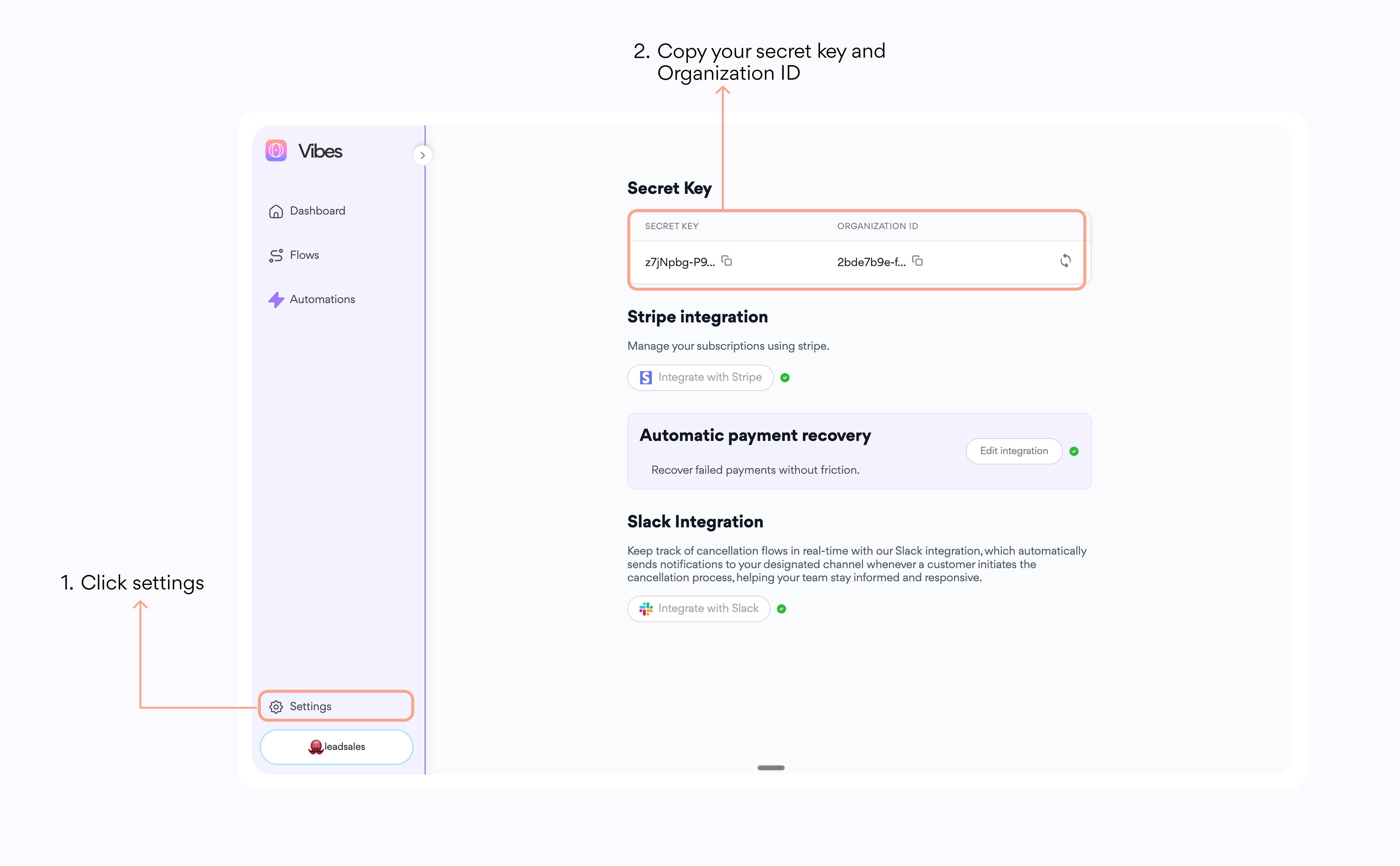
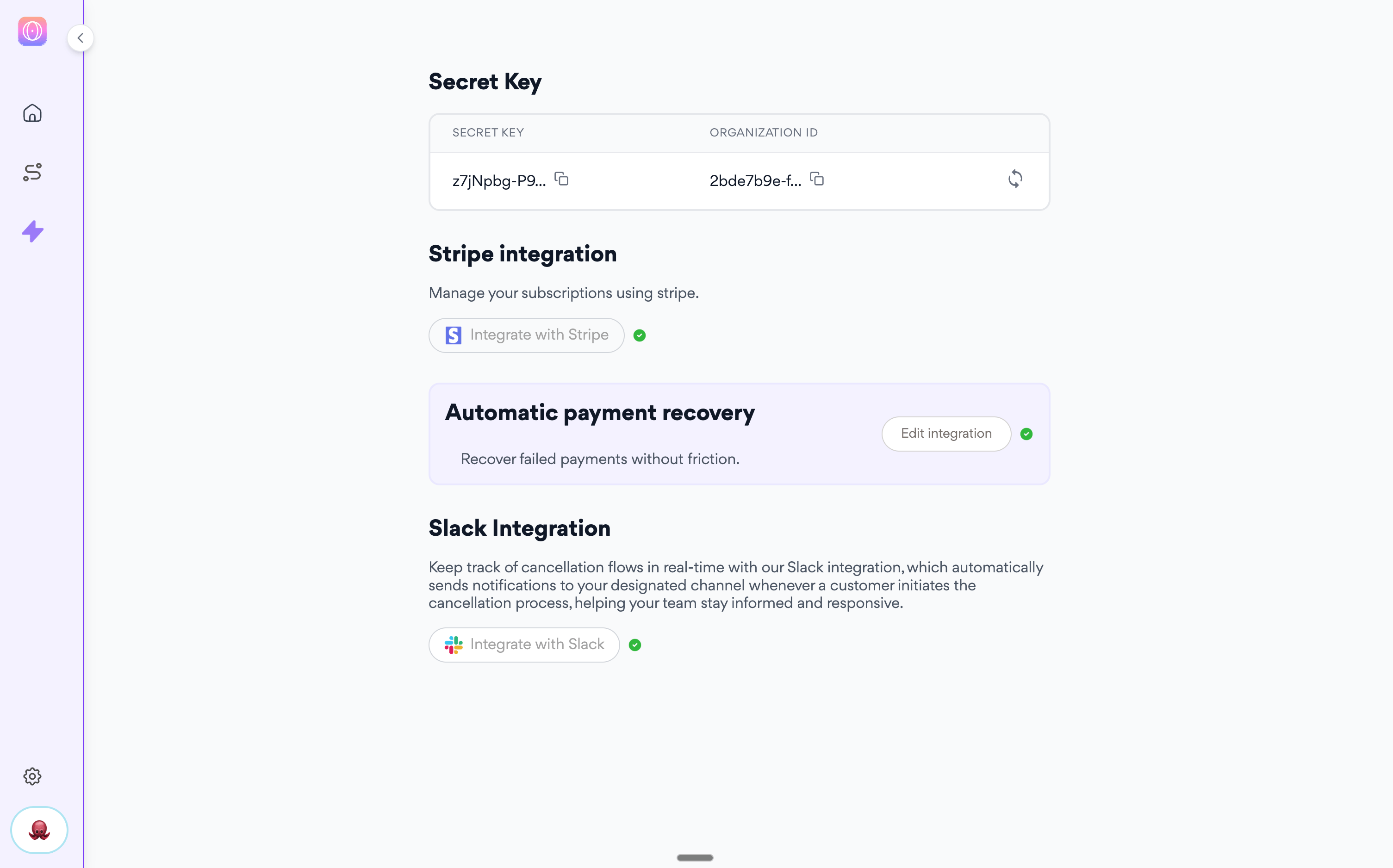
Get your Vibess.ai Organization ID and Secret Key in your account’s settings page.
Ability to add JavaScript to your web app
Developer access for HMAC implementation

➡️ Copy your Stripe API Key in your Vibes account

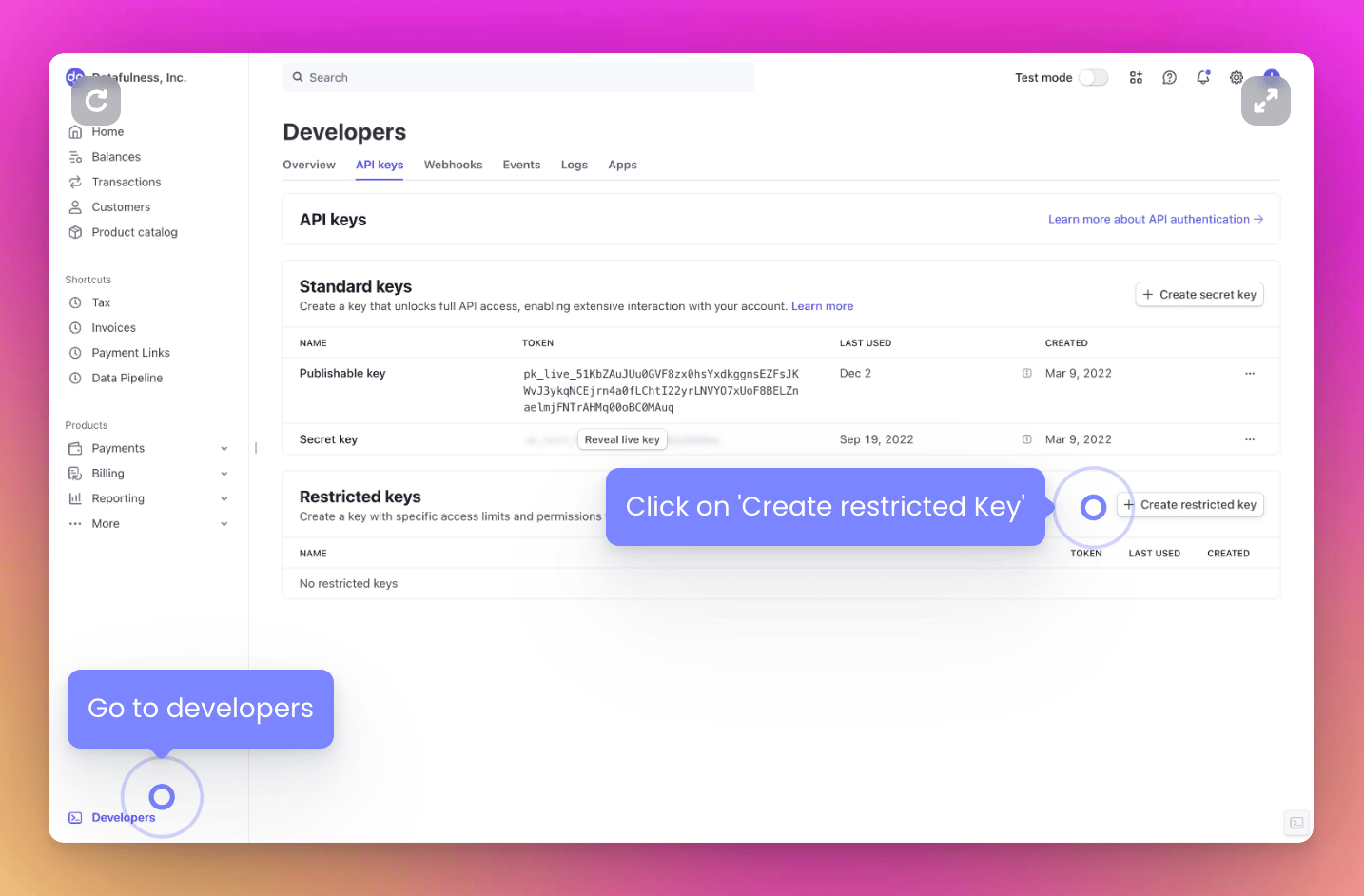
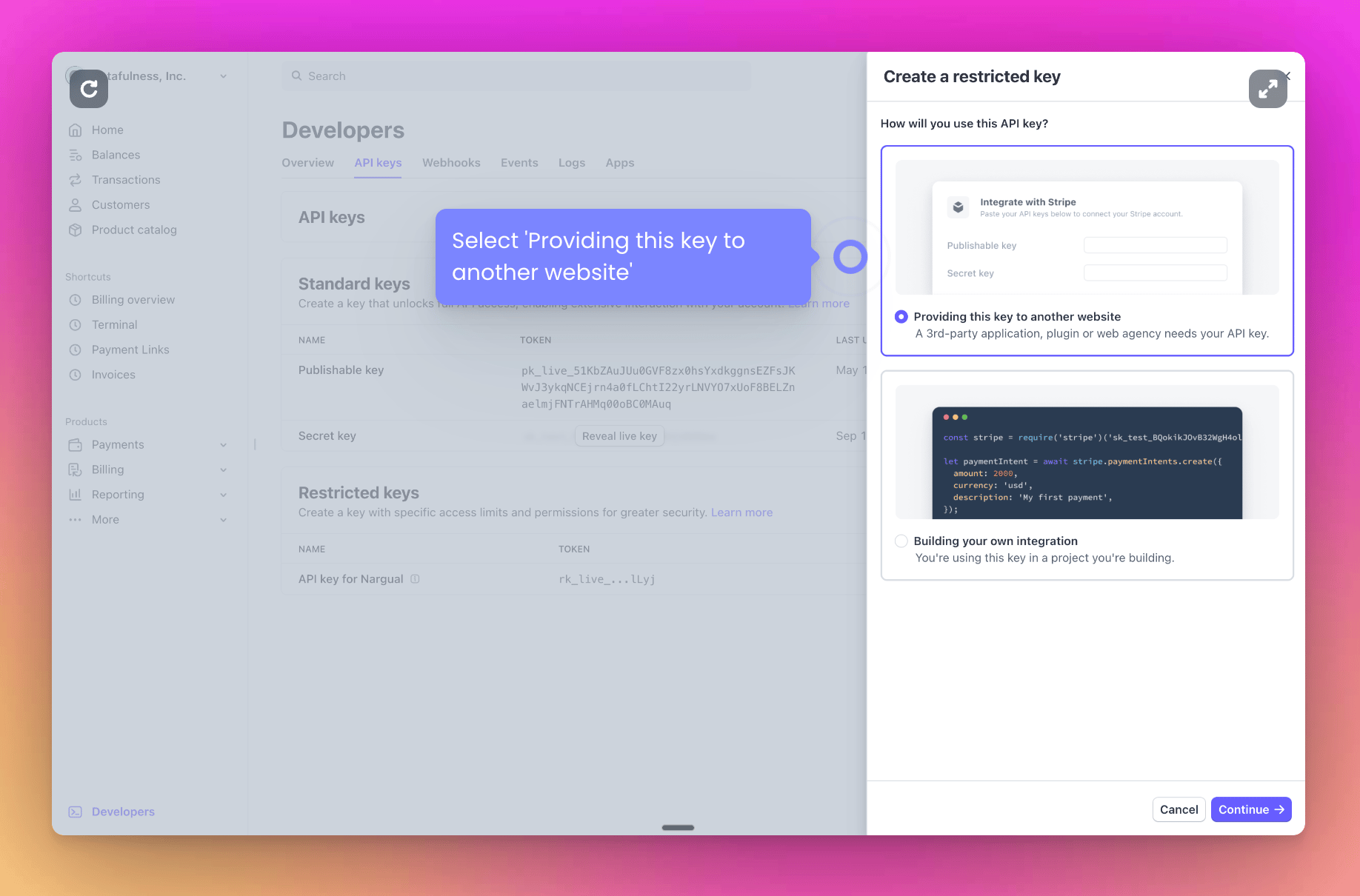
Go to https://dashboard.stripe.com/apikeys and click ‘Create restricted key’Screenshot2025 05 19at4 19 15PM Pn
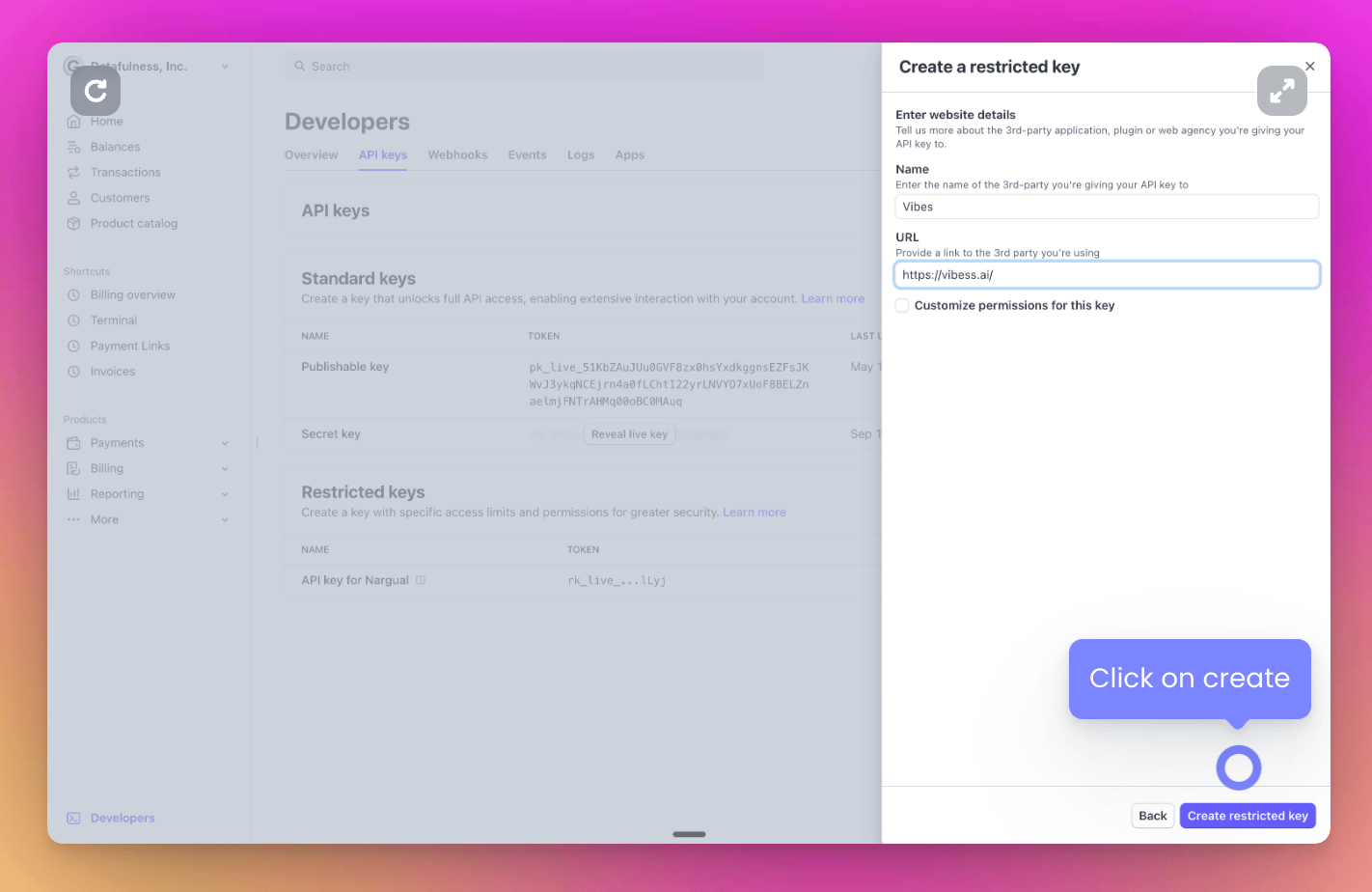
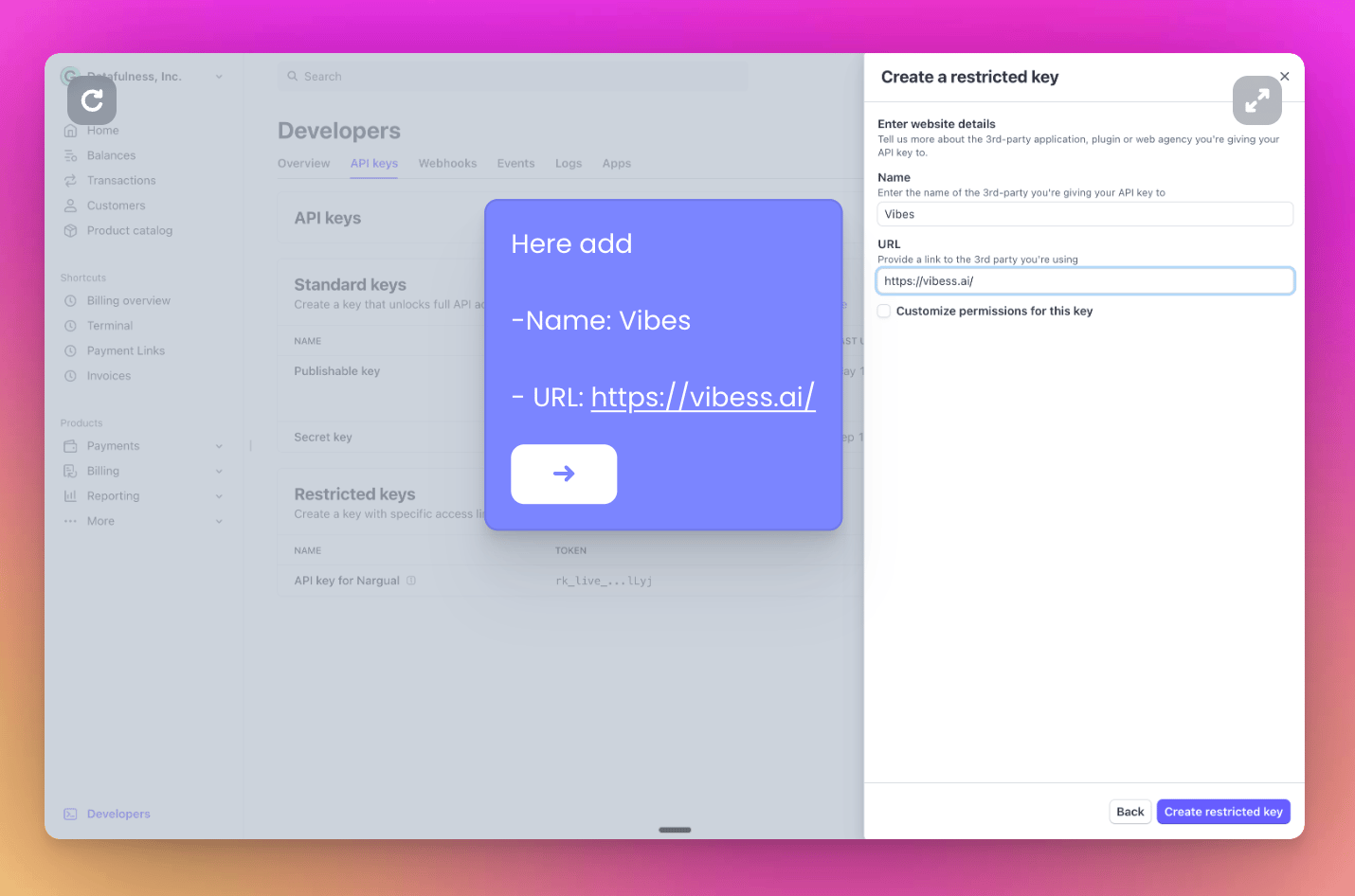
→ Select the first option: ‘Providing this key to another website’Screenshot 2025-05-19 at 8.05.17 PM.png→ Now add a name and our website to identify your new key:Screenshot2025 05 19at4 21 57PM Pn→ Click on ‘create restricted key’ and copy your new API key. You’ll paste it in your Vibes accountScreenshot2025 05 19at4 22 47PM Pn
Click on ‘Integrate with Stripe’ and paste your API keyScreenshot2025 05 19at8 21 39PM Pn
1️⃣ Import our JavaScript script

Add this script to your web application:
<script src="https://app.vibess.ai/static/user_integration/js/integration_initiallizer.js"></script>

2️⃣ Create an HMAC signature

Choose your preferred language to implement authentication:
Remember to fill in your variables.Organization ID and Secret Key in your account’s settings page.
import hmac
import hashlib
import json

def calculate_hmac(vibess_secret_key: str, external_user_id: str, churncut_app_id: int | str,
                   churncut_expiration_timestamp: str):
    message = (external_user_id + churncut_app_id + churncut_expiration_timestamp).encode('utf-8')
    return hmac.new(
        vibess_secret_key.encode('utf-8'),
        message,
        digestmod=hashlib.sha256
    ).hexdigest()
    
vibess_secret_key = "your-secret-key" # We will provide you this
external_user_id = "cus_XXXXXXXXXXXXXX" # from stripe
token_expiration_timestamp = "1767139200" # replace this for any expiration date as a timestamp
vibess_app_id = 1 # we will provide you this number although in the future you may be abble to access it in our management app

print(calculate_hmac(vibess_secret_key, external_user_id, vibess_app_id, token_expiration_timestamp))

3️⃣ Start a cancellation flow

Use the generated HMAC token to initialize the cancellation flow:
startCancellationFlow(
    "cus_XXXXXXXXXXXXXX", // stripe customer id
    "sub_xxxxxxxxxxxxxxxxxxxxxxxxx", // stripe current subscription
    "xxxxxxxxxxxxxxxxxxxxxxxxxxxxxxxxxxxxxxxxxxxxxxxxxxxxxxxxxxxxxxxx", // Here goes your hmac token
    "1767139200", // Expiration timestamp 
    "xxxxxxxx-xxxx-xxxx-xxxx-xxxxxxxxxxx" // vibess app id
)
// the info has to be the same as the one used to generate the hmac token
Important: Ensure all parameters match those used to generate the HMAC token

Implementation Example

<button onclick="handleCancellation()">Cancel Subscription</button>
<script>
  function handleCancellation() {
    startCancellationFlow(
      "cus_XXXXXXXXXXXXXX",
      "sub_xxxxxxxxxxxxxxxxx",
      "your-hmac-token",
      "1767139200",
      "your-vibess-app-id"
    )
  }
</script>

Alternative Integration: Email-Based Session

If you don’t have access to the Stripe Customer ID, you can integrate using the user’s email. This method allows session-based identification and supports actions like subscription management or cancellation by matching the user’s email address.
ATTENTION: This is not recommended unless you are sure that:
  1. Your user accounts have unique emails in Stripe
  2. Your users only have a single active subscription at a time
If these conditions are not met, you could get unexpected behavior.
Example:
startCancellationFlow(
        null, null,
        "3423613948ef3bef5a62d33ba58da022bebd72c21c30bca0dfae50606667647e", // Here goes your hmac token
        "1767139200", // Expiration timestamp
        "cbbb778e-afda-5ae5-82f4-c58dcafc7f1a", // vibess app id
        "[email protected]",
      );

Testing

  • Use test mode in Stripe to verify the integration
  • Confirm HMAC token generation with test credentials
  • Verify cancellation flow triggers correctly